Building and deploying from the command line!
I've been working on a little one-liner tool to build, publish and commit changes after an impromptu dev session.
I'm learning my way around Godot at the moment for personal projects and have already been using Itch to deploy builds to my Steam Deck and to share builds with collaborators.
Since my pockets of hobbyist dev time are few and of unpredictable (normally short) length, I've been gradually evolving a script recently that I'm using to generate builds from the command line and push them to Itch, so wrapping up after a quick dev session is just a one-line command I can call and walk away from, safe in the knowledge that my work will:
-
</p>
- Get built for MacOS and Windows
- Pushed to Itch
- All changes will be wrapped up and pushed to the git repo with a tag matching the version number
- It has hardcoded values for this project. That's fine for now, but wouldn't it be nice if it could pull all the data it needed from
project.godot? - You need to increment the version manually in
project.godot. - Adding properties to the project settings
- Setting up Export options (if you haven't already)
- Adding those Export options to the build script
</ol>
This is the current version of the script:
#!/bin/bash

# Use command substitution to get the input string
input_string=$(cat project.godot | grep "version=\"")

# Use grep with a basic regular expression to extract the version
version=$(echo "$input_string" | grep -o 'version="[0-9.]*"')

# Remove the leading 'version="' and trailing '"'
version=${version#version=\"}
version=${version%\"}

echo "Building $version"

git add -A
git commit -m "Cleanup commit before build and publish of $version"

git tag -a v$version -m "Publishing $version to Itch.io."

# The folders need to exist already
mkdir -p Build/Windows
mkdir -p Build/MacOS

godot-mono --export-debug "Windows Desktop" Build/Windows/The\ Bacon\ Game.exe
godot-mono --export-debug "macOS" Build/MacOS/The\ Bacon\ Game.zip

echo "Publishing $version"

butler push Build/MacOS bursaar/the-bacon-game:osx-universal --userversion $version
butler push Build/Windows bursaar/the-bacon-game:win-universal --userversion $version

echo "Finished publishing $version"

git push origin --tags
Feel free to borrow and extend for your own purposes.
If you read it through you'll see that it has two things to be aware of:
-
</p>
</ol>
While the above script works and I'm still using it, I'm also working on a successor which pulls all of its info from project.godot and will even increment the version number for you. This means that I can drop this script into any project I'm working on and have it set up the project's metadata for me to fill in, and bingo-bango, I can push as I please.
If you're looking for a handy script, then you can stop here, copy and paste what I have above (don't forget to run chmod +x on it before you try to run it!) and change the hardcoded values. If you're interested in what may come next, read on!
Build & Publish 2.0
This is functionally the same – a one-line CLI call that will build all available platforms and publish them to the correct project on Itch.io. I have a slightly janky version of this working at the moment. It's nifty BUT it does require a bit of setup; namely:
-
</p>
</ol>
Something I hadn't realised about Itch.io is that you can easily add fields and values to its project.godot file so you can layer in your own project metadata. To do this, enable Advanced Settings, write a path for the field, select a type and click Add.
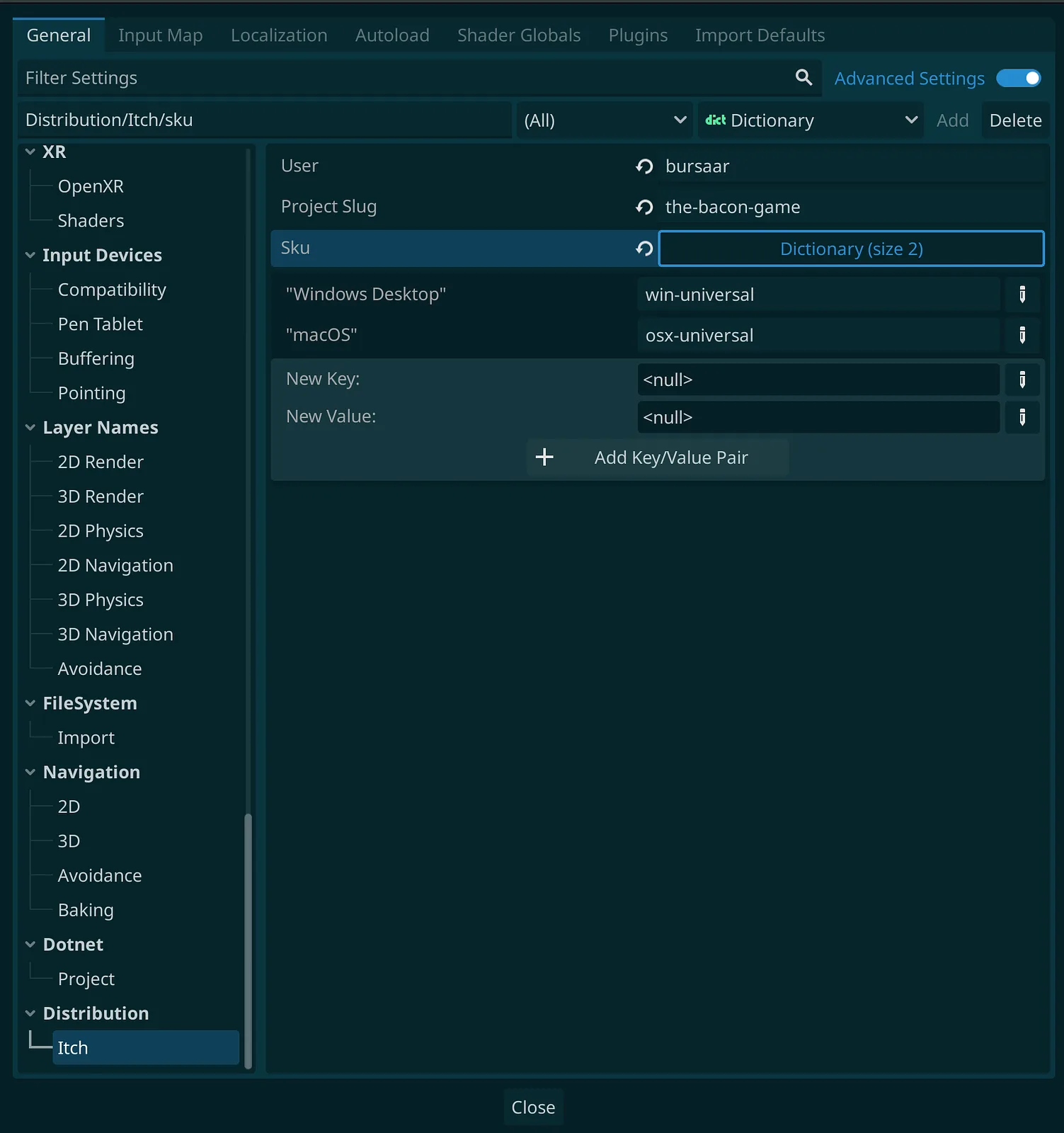
project.godot file.The above new fields look like this in the project.godot file:
[Distribution]

Itch/User="bursaar"
Itch/ProjectSlug="the-bacon-game"
Itch/sku={
"Windows Desktop": "win-universal",
"macOS": "osx-universal"
}
As part of the mapping, I currently need to link the export path to the "sku" on Itch.io. At some point I'd like to make this less direct and just map the Export option to the sku.
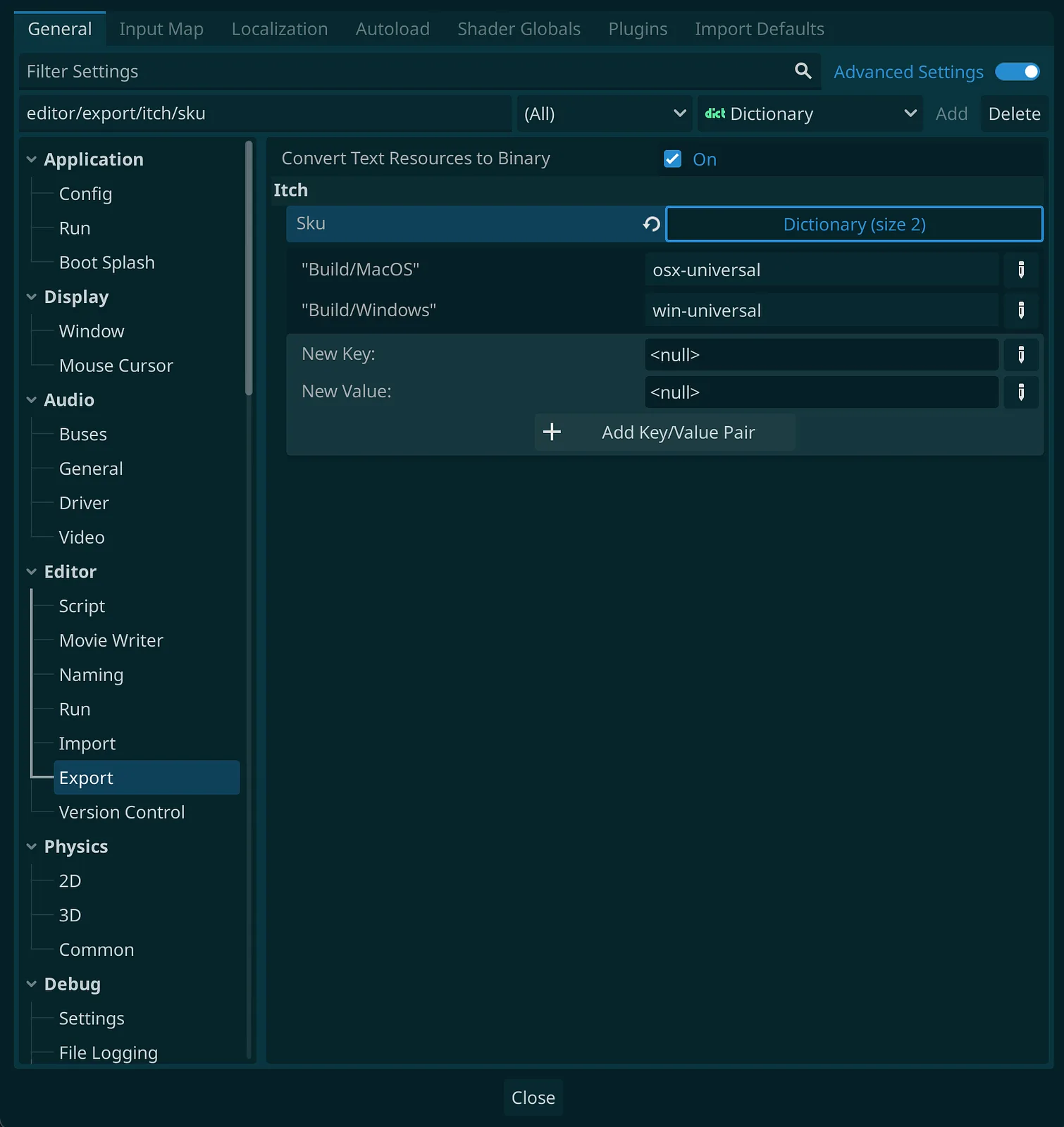
Incidentally, the above info looks like this in project.godot:
export/itch/sku={
"Build/MacOS": "osx-universal",
"Build/Windows": "win-universal"
}
I will keep ferreting away on this; I'd like the script to auto-add the missing fields when run for the first time on a fresh project, and to have cleaner mapping between Export options and skus on Itch.io.